Last updated: October 2026
A mobile crypto wallet puts self-custody in your pocket, letting you store, send, receive, and use crypto directly from your phone. The best mobile wallets combine strong security with a clean interface and support for the coins and networks you actually use. This guide ranks the best mobile crypto wallets of 2026 and explains how to use one safely, since a phone wallet trades some security for convenience.
We evaluated wallets on security, supported blockchains, ease of use, and Web3 features. Mobile wallets are ideal for everyday amounts and on-the-go access; for long-term savings, pair one with a hardware wallet. For the full picture, see our best crypto wallet guide.
What makes a good mobile wallet
- Self-custody. You hold your own keys, with the recovery phrase stored safely offline.
- Security features. Biometric lock, PIN, and clear transaction confirmations.
- Network support. The blockchains and tokens you use, whether single-chain or multi-chain.
- Web3 access. A built-in browser or connector for decentralized apps, if you need it.
- Ease of use. A clean interface that makes sending and receiving straightforward.
At a glance: the best mobile crypto wallets
| Wallet | Best for | Networks |
|---|---|---|
| Trust Wallet | Best overall multi-chain | Many |
| MetaMask | Ethereum and Web3 | Ethereum/EVM |
| Coinbase Wallet | Coinbase users | Many |
| Exodus | Beginner-friendly | Many |
| Phantom | Solana and multi-chain | Solana/EVM |
| Rainbow | Ethereum, simple design | Ethereum/EVM |
Supported networks and features change. Confirm current details on each provider’s official site, and download only from official app stores.
How we ranked mobile wallets
We weighed security and self-custody, supported blockchains and tokens, ease of use, Web3 and dApp access, and track record. We favored wallets that make safe practices (like confirming transactions clearly) easy for everyday users.
The best mobile crypto wallets in 2026
1. Trust Wallet — Best overall multi-chain
Trust Wallet supports a very wide range of blockchains and tokens in a single, polished mobile app, with a built-in Web3 browser. For most mobile users who hold assets across multiple networks, it is the best all-round choice. As a hot wallet, keep larger holdings on a hardware wallet.
2. MetaMask — Best for Ethereum and Web3
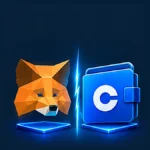
MetaMask’s mobile app brings the most widely used Ethereum wallet to your phone, with full access to EVM networks and decentralized apps. It is essential for anyone active in Ethereum DeFi. See MetaMask vs Coinbase Wallet.
3. Coinbase Wallet — Best for Coinbase users
Coinbase Wallet is a self-custody mobile app, separate from the exchange account, that lets you hold your own keys in a familiar ecosystem. It supports many assets and Web3, making it a convenient mobile step into self-custody.
4. Exodus — Best for beginners
Exodus offers an approachable mobile experience with a clean design and built-in swapping. It is a good self-custody starting point for newcomers who want simplicity, suited to everyday amounts. See our best wallet for beginners guide.
5. Phantom — Best for Solana
Phantom is the leading mobile wallet for the Solana ecosystem and has expanded to additional networks. For users active on Solana, its fast, polished experience is hard to beat. See our best Solana wallet guide.
6. Rainbow — Best simple Ethereum wallet
Rainbow is a design-focused Ethereum wallet known for its friendly, approachable interface. It is a good option for users who want a clean, straightforward way to hold Ethereum and interact with Web3 on mobile.
How to use a mobile wallet safely
Download only from official stores
Install wallet apps only from the official App Store or Google Play, and verify the developer. Fake wallet apps are a common scam.
Protect your recovery phrase
Write your recovery phrase down and store it offline. Never screenshot it, store it in cloud notes, or enter it into any website or app that asks for it.
Enable device security
Use biometric lock and a strong device passcode, and keep your phone’s software updated. Treat your phone like the key to a safe.
Be cautious with dApp connections
Only connect your wallet to trusted sites, and review what each transaction is approving. Revoke permissions you no longer use.
Frequently asked questions
What is the best mobile crypto wallet?
Trust Wallet is the best overall mobile wallet for most users thanks to its broad multi-chain support and ease of use. MetaMask is best for Ethereum and Web3, Phantom for Solana, and Exodus for beginners. The right choice depends on which networks you use.
Are mobile crypto wallets safe?
Reputable mobile wallets are reasonably safe for everyday amounts if you follow good practices: download from official stores, protect your recovery phrase, and enable device security. Because they are online, use a hardware wallet for larger, long-term holdings.
Is a mobile wallet better than an exchange?
A self-custody mobile wallet gives you control of your own keys, unlike an exchange account where the company holds them. For holding and using crypto yourself, a wallet is preferable; for buying and active trading, you will still use an exchange.
Can I use one mobile wallet for all my coins?
Multi-chain wallets like Trust Wallet support many networks in one app, but no single wallet supports everything. Check that your chosen wallet supports the specific coins and networks you hold before relying on it.
What happens if I lose my phone?
If you lose your phone but have your recovery phrase stored safely, you can restore your wallet on a new device. If you lose the phrase too, your funds are generally unrecoverable, so safeguarding it is essential.
Our editorial approach
Tokrankr is an independent crypto platform comparison site. We are not an exchange, a broker, or a financial advisor, and we never accept payment in exchange for a higher ranking or a favorable review. Our site is supported entirely by display advertising, which keeps our comparisons free to read and free from commercial bias. Rankings are based on publicly available information and independent research, and we update our articles as products change. Always verify current details on each provider’s official website, and download apps only from official stores.